

Contents
- Quick start
- What is Solana?
- What can you do?
- Choose a wallet
- Create and secure a wallet
- Fund a wallet
- Send and receive crypto
- Buy and swap tokens
- Tokenized stocks
- Stake SOL
- Lending and borrowing
- Perpetual futures
- Prediction markets
- Games, NFTs, and gacha
- Cash out
- Conclusion
- Frequently asked questions
To use Solana, you need a compatible wallet and a small amount of SOL to cover transaction fees, which typically cost less than $0.01.
Once you create a wallet, you can buy or sell SOL and other tokens on the Solana blockchain. You can also send crypto to other wallets, stake your assets for passive income, or use decentralized finance (DeFi) applications for lending and borrowing, as well as trading perpetual futures. For fun, you can play Web3 games and open gacha packs featuring Pokémon and sports cards.
While the technology is easy to use, blockchain transactions are irreversible. Because of that, you must verify token addresses and double-check transaction details before confirming.
This guide takes you from choosing the right wallet for your needs to making your first transaction and exploring the Solana ecosystem. It also explains the costs, risks, and what you may be better off skipping.
Quick start: How to use Solana in six steps
Using Solana is straightforward. Here’s how to get started:
- Choose a Solana wallet. Download it from the app store on mobile or install it as a browser extension. Popular Solana wallets include Jupiter, Solflare, Backpack, and Phantom.
- Back up your wallet. When you create a wallet, you receive a seed phrase (12 to 24 words). Keep it safe and offline, and never share it. Never take photos of your seed phrase or store it in an online file.
- Add funds. You need SOL to pay network fees, so either buy SOL directly in the wallet with a card, Apple Pay, or Google Pay, or send SOL to your wallet from an exchange.
- Connect only to verified applications. For most of Solana’s use cases, such as sending and receiving funds, you don’t need to connect to applications. However, some actions, like trading perpetual futures, using Pokémon gacha machines, or lending and borrowing your funds, require you to connect your wallet to the app. Ensure the application is legit before connecting.
- Double-check transaction details. Before signing any transaction in your wallet, verify that the amount and wallet address are accurate.
- Choose what to do next. You can hold coins and tokens, stake, lend and borrow, play games, trade futures, and more.
Note: Keep a small amount of SOL in your wallet to pay fees. Also, never send the full amount to another wallet or app before testing it with a smaller amount first.
What is Solana?
Solana is a decentralized blockchain network that processes transactions and runs apps without relying on a single company to maintain the blockchain ledger. Solana’s main selling point is fast transactions that settle in under a second and cost less than $0.01 per transaction. This means you can send money from one end of the world to another almost instantly for $0.01 per transaction, regardless of the amount transferred.
To achieve this, Solana uses a combination of Proof-of-Stake and Proof-of-History. Think of the latter as a built-in clock that keeps all validator computers on the same schedule. With each tick, a record proves that something happened and when. Because validators share this cryptographic ordering of events, Solana can typically confirm transactions in under a second.
While this has worked wonders for the Solana blockchain, over 98% of validators approved a major consensus upgrade called Alpenglow. Alpenglow will replace Solana’s current Tower BFT consensus system and aims to reduce transaction finality from approximately 12.8 seconds to around 100–150 milliseconds. Alpenglow is planned to enter full mainnet in late 2026.
Solana is already preparing for the future, enabling agentic payments (x402 transactions) and processing over $11 million in August 2026, according to Solana’s Head of Product Marketing.

Solana’s native coin is SOL, which is used to pay transaction fees and participate in staking. Staking means delegating your SOL to validators (computers that run the validator client software) to verify transactions and add them to the ledger. Users who stake their coins earn SOL rewards.
To interact with the blockchain and the applications running on it, you need a wallet. The wallet is where you store your coins and tokens. Each wallet has a private key and a public key. Your public key is visible on the ledger, meaning anyone can see the assets you hold, and works as your receiving address. Your private key gives you control of your assets and lets you approve, or sign, transactions.
Because the Solana blockchain ledger is public, everyone can see the transactions using a block explorer tool like Solscan or Orb.
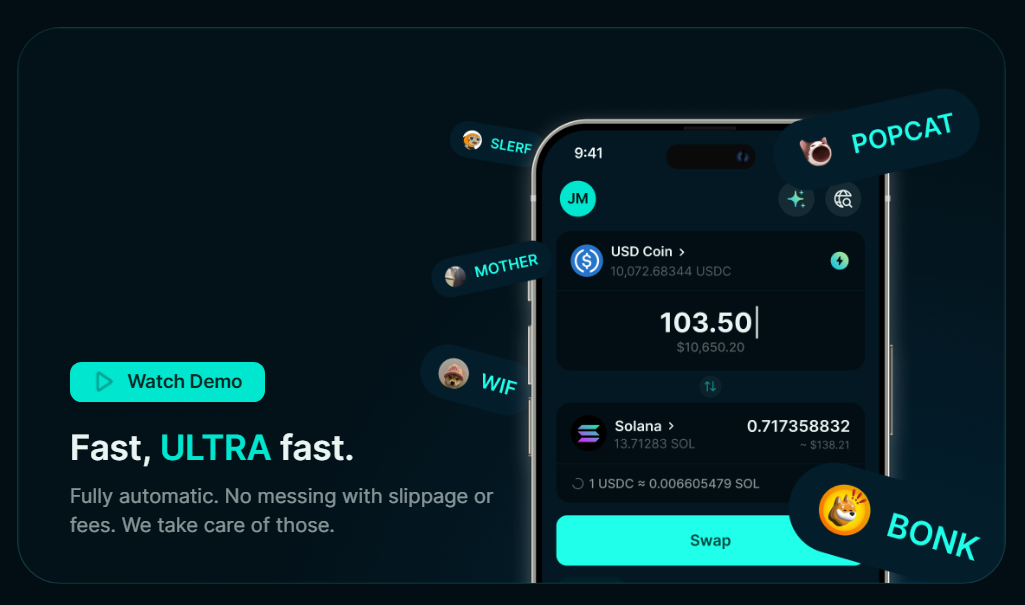
Accounts are the main data unit on Solana. They’re like digital filing cabinets. Wallets are one type of cabinet. They hold your assets and act as your ID on the blockchain. Token accounts are another type, linked to your wallet if you hold the token. The last type is data accounts owned by applications.
I’m mentioning token accounts because whenever you buy a new token you didn’t have before, for example BONK, JUP, or BP, you will notice that aside from the SOL you pay for transaction costs, there will be another amount of SOL you pay.
This is the rent fee for the token account, which is a refundable storage deposit. Once you sell the token, you can close the rent account and get your SOL back. You can close your rent account in some wallets, like the Jupiter wallet, or by visiting dedicated sites like Sol Incinerator.
Previously, the rent account required ~0.00204 SOL to open. With the September 2026 validator software update, the rent deposit amount drops by 90%, from around $0.16 to less than $0.02.
What can you do on Solana?
Because of its speed and low transaction costs, Solana is becoming a strong financial and banking tool for its users. Here’s what you can do on Solana:
- Transfer funds. Send and receive stablecoins and other tokens and coins between wallets. Many crypto-native companies pay their employees in crypto.
- Borrow or lend assets. DeFi applications like Jupiter and Kamino let users put crypto, such as SOL, as collateral and borrow USDC against it. Users can also deposit USDC to earn passive yield.
- Trade. Solana platforms like Jupiter, Backpack, and Phantom offer leveraged perpetual futures and tokenized stock trading. Tokenized stocks can be traded 24/7, a feature not available on traditional stock trading platforms.
- Play blockchain games. Although Web3 games didn’t take off during previous cycles, some continue to build and improve their products, enabling players to earn rewards for their time played.
- NFTs and tokenized cards. Tokenized Pokémon and sports cards are among the most popular products on Solana today, with Collector Crypt celebrating crossing $1 billion in gross revenue in August 2026, a year after its launch. Users can open gacha packs with Pokémon cards, hold them, trade on the secondary marketplace, or sell them instantly at a lower price.
- Make payments with virtual cards. Multiple projects on Solana offer virtual Visa cards you can load on your phone and use for real-world purchases. This is an excellent off-ramp tool that bypasses traditional bank transfers and other token-selling loops. Wallets like Jupiter, Phantom, and Solflare offer such cards, which use funds directly from the wallet.
While these activities use the same network and wallet, each has different costs and risks.
For example, trading perpetual futures incurs additional fees for borrowing funds from the platform to trade on leverage; gacha platforms advertise positive EV and buybacks of up to 85% of the opened card’s value right away, but that’s not always the case, as it depends on the card you pull.
| If you want to | Main risk to understand |
|---|---|
| Send or receive money | Wrong address or asset |
| Exchange one asset for another | Fake tokens, slippage, and price impact |
| Earn staking rewards | SOL price and validator risk |
| Earn lending interest | Protocol depeg and liquidity risk |
| Borrow against crypto | Liquidation and variable interest |
| Trade with leverage | Rapid liquidation and margin fees |
| Trade event outcomes | Settlement rules |
| Access tokenized stocks and assets | Issuer and legal-rights risk |
| Play games or collect NFTs and tokenized cards | Spending, custody, and resale price risk |
How to choose a Solana wallet
For holding assets and connecting to Solana applications, the top wallets are virtually identical. You can choose Jupiter, Solflare, Phantom, or Backpack, and there would be minimal differences for typical daily use.
However, users who want to make the most of their wallets should choose the one that best fits their needs.
| Wallet | Best suited for | Platforms | Useful safety features | Extra features |
|---|---|---|---|---|
| Jupiter | Active traders and users who want to take advantage of Jupiter’s vast product suite | Web and mobile | Biometric login | Low fees Buy crypto with Apple/Google Pay, Card, PayPal, SEPA, Instant Bank Transfer Reclaim rent account SOL Limit orders and stop-loss Perpetual futures Predictions Earn passive yield on assets Virtual card |
| Phantom | Beginners | Web and mobile | Biometric login | Prediction Buy crypto with Apple/Google Pay Virtual card Multi-chain |
| Solflare | Advanced users | Web and mobile | Biometric login | Buy crypto with Apple/Google Pay and card Virtual card |
| Backpack | Advanced users and developers who want access to multiple blockchains | Web and mobile | Biometric login | Multichain Buy crypto with card Access Backpack exchange via the same mobile app, but it requires providing ID documents |
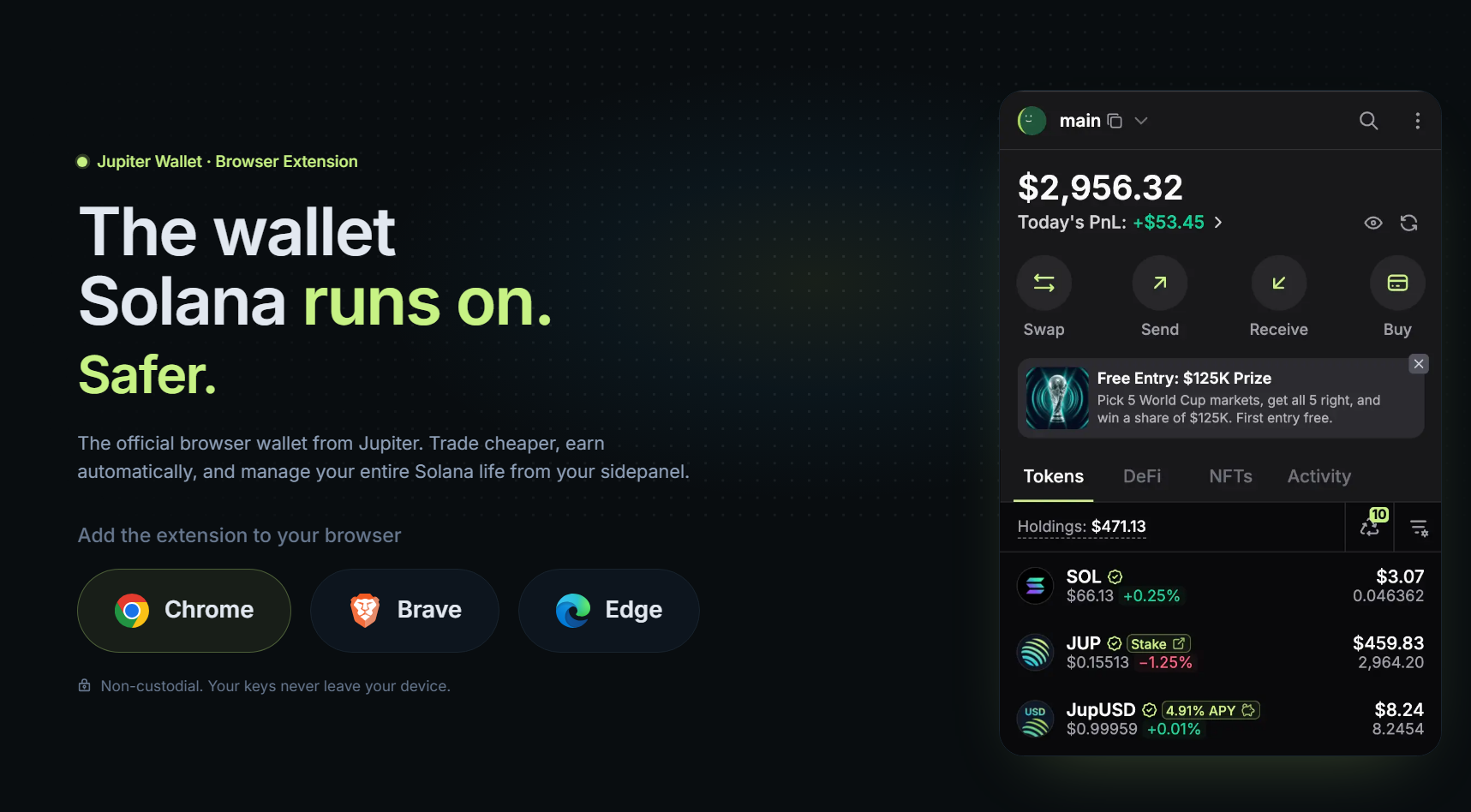
All of these wallets offer both web and mobile versions. The web versions are browser extensions that enable seamless connections to Solana application websites.
Keep in mind that all of these wallets are called “Hot” wallets because they are constantly connected to the internet. This comes with risks if your computer or phone is compromised. If hackers and scammers gain access to your computer, they can drain your wallets.
“Cold” wallets, also known as hardware wallets, complement hot wallets and provide added security.
How to create and secure a Solana wallet
Now that you’ve chosen your wallet, let’s walk through the setup process:
- Visit the official website for the wallet you choose. I’ll use Jupiter Wallet as an example. Select the browser extension, or download the Jupiter mobile app if you plan to transact on your phone.
- Install the wallet extension, then select “Create a new wallet.”
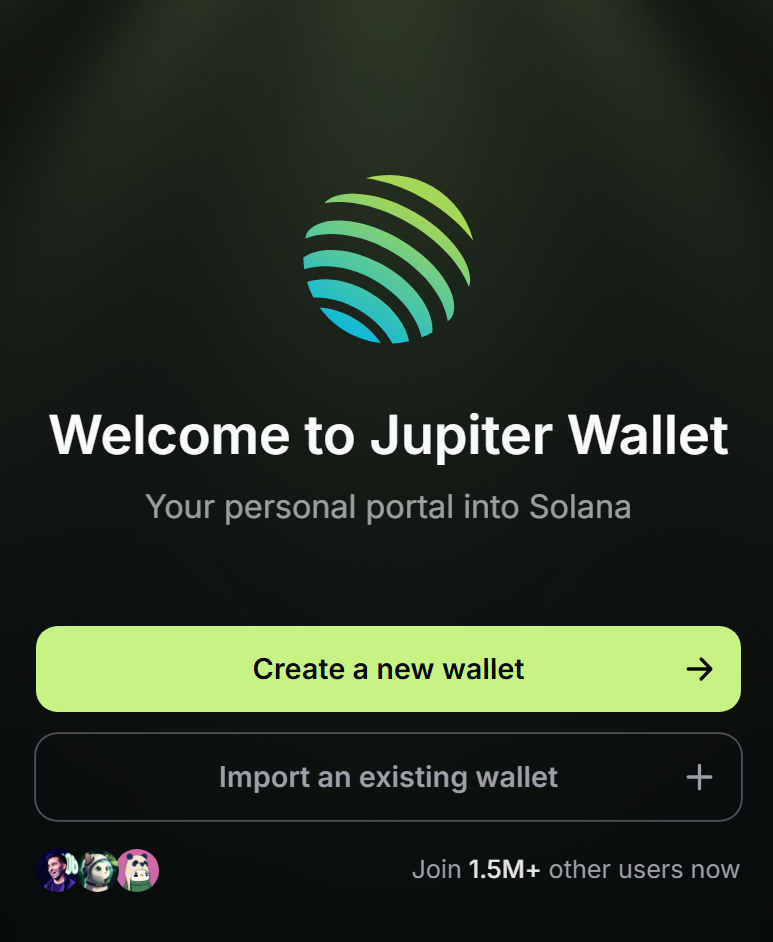
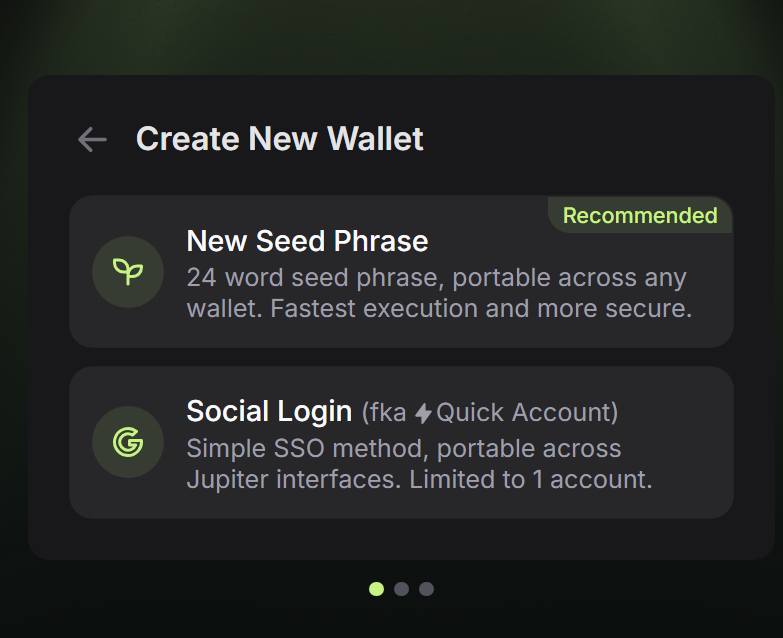
- Write down your seed phrase on paper and keep it secure. Don’t take screenshots or copy it into another file on your computer. You can also create a wallet with a Gmail account, but this option is limited to one wallet. Proceed to name your wallet to indicate what it’s for.
- Use a strong password and enable biometrics, auto-lock, and any other security features the wallet offers.
- Copy your public address and label it clearly. You’ll need to paste it when sending funds from an exchange to your wallet.
Every wallet has a public address. This is the address you use to receive funds, similar to a bank account number in traditional banking.
A seed phrase, also known as a recovery phrase, gives you access to your wallet. It’s similar to your traditional bank account password and 2FA token. Keep your seed phrase safe and never share it with anyone. If you lose your computer or phone, or need to reinstall your wallet app, you’ll need to enter your seed phrase to unlock your wallet.
How to fund a Solana wallet
You can often fund a Solana wallet directly within the wallet using a card or Apple Pay and Google Pay. You can also fund your wallet by transferring SOL from a crypto exchange or by bridging assets from another blockchain network, such as Ethereum. Each funding method has its own pros and cons.
Method 1: Buy SOL within the wallet
The top four Solana wallets include a built-in crypto onramp that lets you buy SOL directly with a card or via Apple or Google Pay. Jupiter Wallet also supports PayPal, SEPA, and Instant Bank Transfers, though availability may vary by country.
Here’s how to fund your Solana wallet using Jupiter:
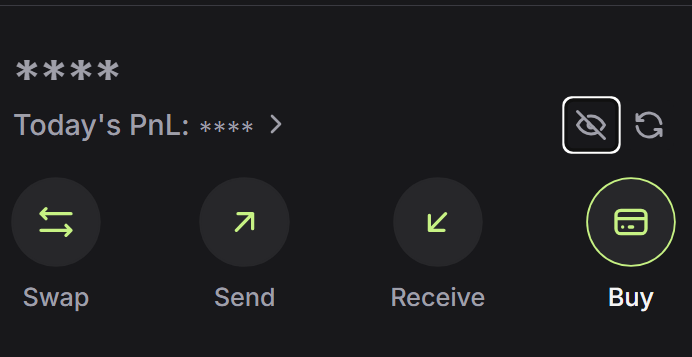
- Open your Jupiter Wallet and select “Buy” from the four options in the Web wallet, or select “Deposit” if you’re using the Jupiter mobile app.
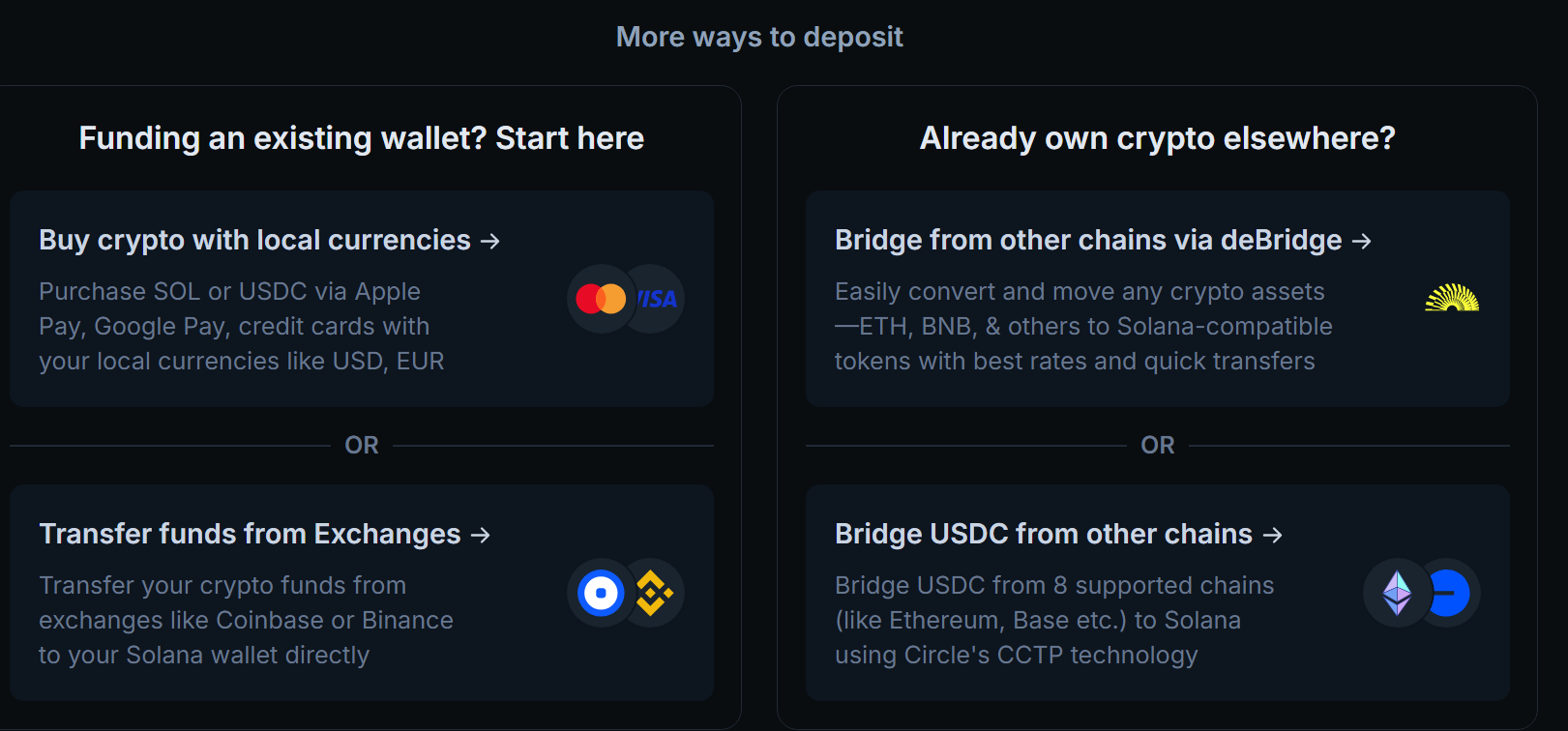
- Scroll until you find the “Buy crypto with local currencies” option if you’re using the Web wallet, or select “Buy with card” in the mobile app.
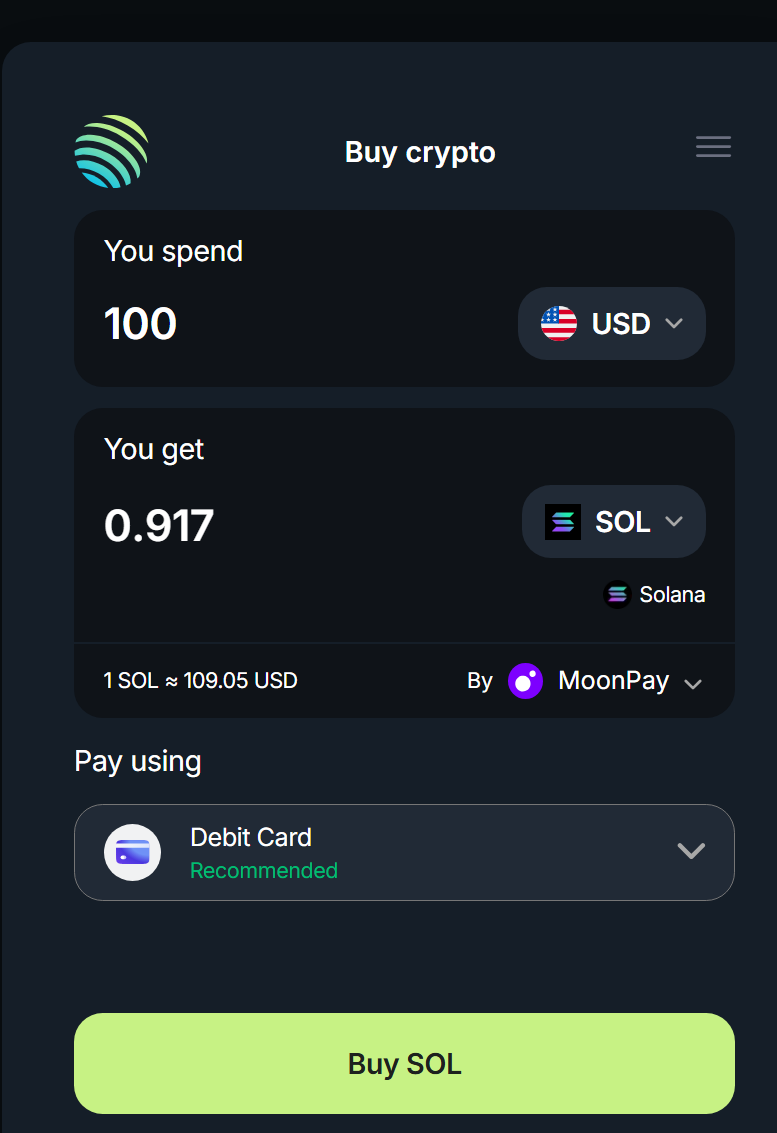
- Select the currency and amount you want to spend on SOL, then choose your payment method.
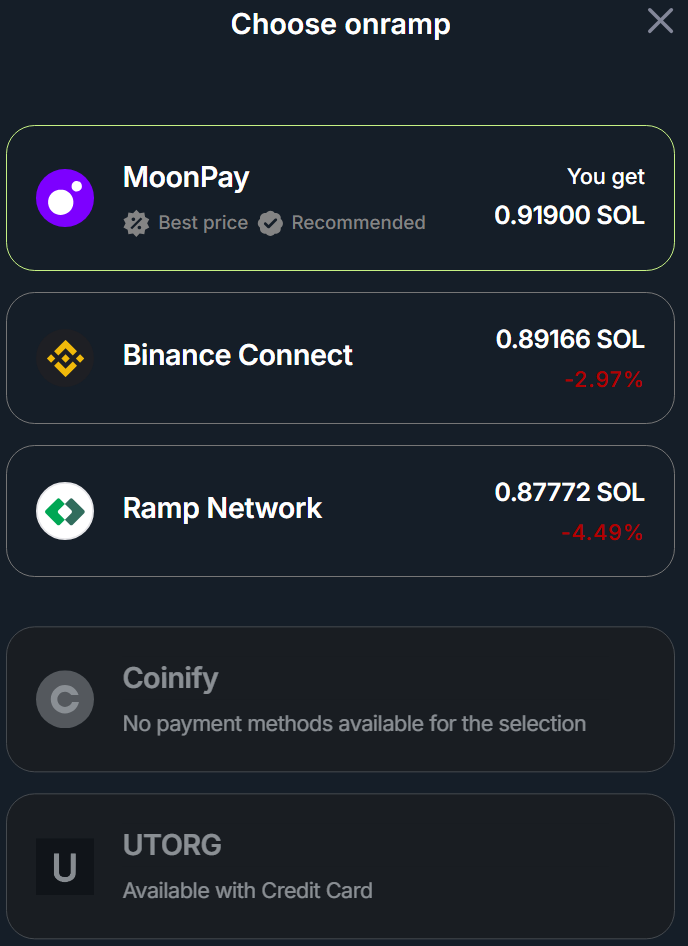
- If you choose the card option, you will need to verify your ID with the onramp provider (for example, MoonPay). This requires an ID card and a face scan taken with your phone’s camera. Before you buy SOL, compare payment options and onramp providers to get the best rate.
- Confirm that all details and amounts are correct, then select “Buy SOL”. Follow the onramp provider’s steps to complete the purchase.
I’ve selected Jupiter Wallet for this example, but the process is nearly identical across all other wallets.
Pros
- Funds arrive within minutes
- Seamless process
Cons
- Requires ID verification the first time
- High fees of up to 5%, depending on the onramp provider
Method 2: Withdraw SOL from an exchange
If you already hold SOL on a crypto exchange like Coinbase or Binance, here’s how to transfer it to your wallet.
- Select Receive from the options list in your Jupiter wallet.
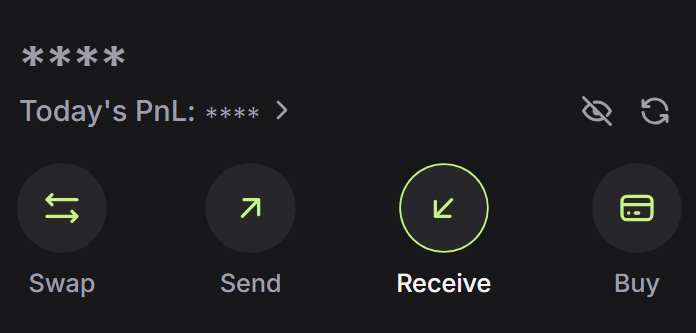
- Copy the wallet address shown on the next screen.
- Log in to your crypto exchange account, then select “Withdraw”.
- Select the Solana network and SOL. This is important.
- Paste your wallet address and enter the amount you want to transfer.
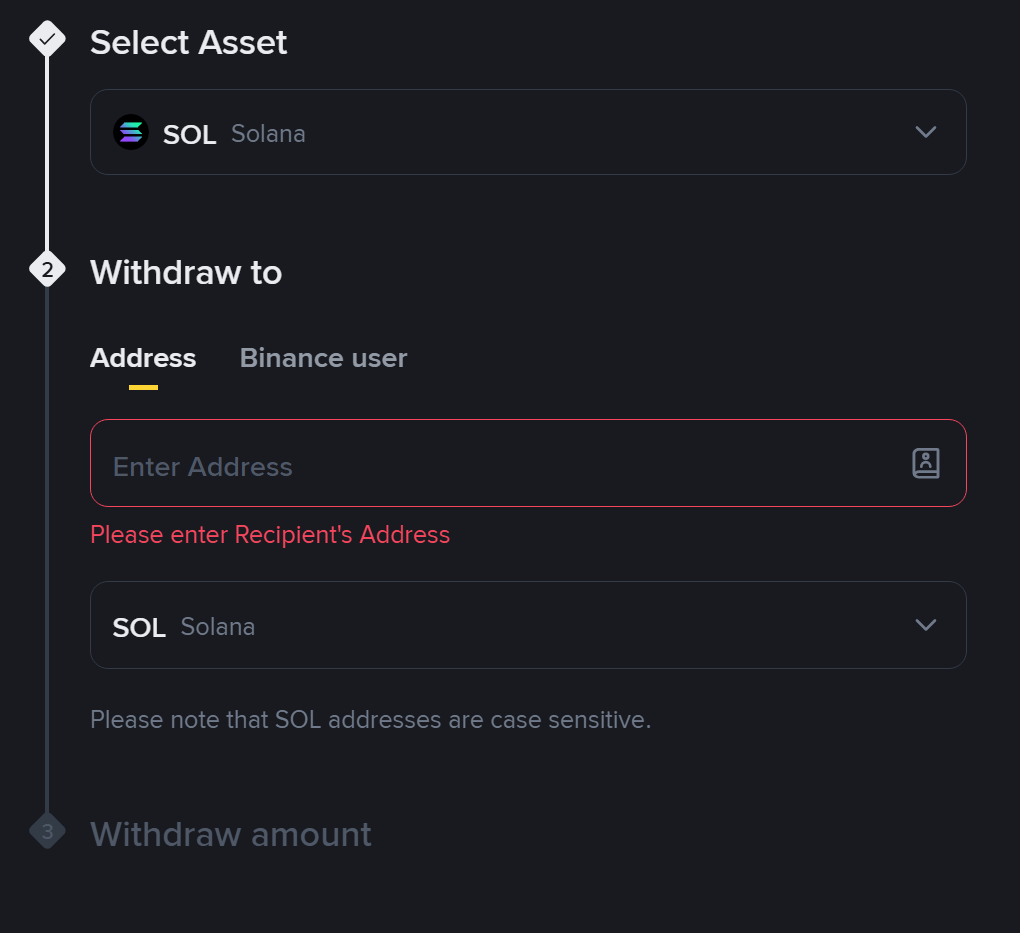
Your funds should typically arrive within seconds unless there’s network congestion or exchange-related issues.
Note: You can test the transfer with a smaller amount before sending the rest, just in case.
Pros
- Funds arrive within seconds
- Low transaction costs
Cons
- Requires ID verification to open a crypto exchange account
- Your transfer depends on the exchange
Method 3: Bridge from another blockchain network
In the past, bridging assets between blockchains required visiting a specialized bridge website. Today, the top Solana wallets include built-in bridges, enabling seamless transfers from other blockchains into your wallet.
Here’s how to fund your Solana wallet via its integrated bridge:
- Open your Jupiter wallet and select “Receive”.
- Select the network from the dropdown list. Supported networks vary by wallet.
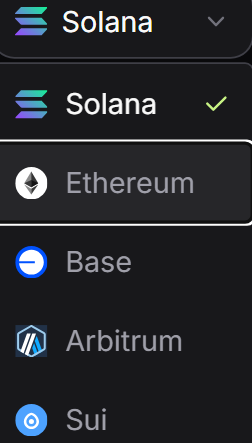
- Copy the address on the selected blockchain (say Ethereum).
- Use the copied address as the recipient. You may be limited in which assets you can send. For example, the Jupiter wallet only supports USDC transfers between blockchains, so you’ll need to swap your ETH for USDC to bridge to Solana.
If you want to bridge assets that aren’t supported in your wallet, you can use Portal Bridge. The process is similar: connect your two wallets from different blockchains through the Portal Bridge website and select the amount to transfer. On the receiving end, you typically get a wrapped version of the asset (for example, WBTC if you move Bitcoin to Solana), which you can swap for SOL directly in your wallet.
Pros
- Moving assets from another blockchain you already own
- Low transaction costs
Cons
- There could be limitations on which assets can be transferred
- Not a beginner-friendly option
How to send and receive crypto on Solana
Solana’s advantage over traditional banking is its speed. You can send funds from your Solana wallet to friends and family wallets worldwide within seconds.
To receive crypto, open your wallet and select “Receive.” Copy your wallet’s public address and send it to the person paying you.
If you’re the one sending funds, ask for the recipient’s public address, then:
- Open your wallet and select “Send.”
- Paste the recipient’s address.
- Select the token you want to send and enter the amount.
- Review the transaction and approve it.
Blockchain transactions are irreversible, so ensure the funds are sent to the correct address. You can always test with a smaller amount first.
How to buy and swap Solana tokens safely
Skill level requiredBeginner
Swapping Solana tokens is fast, cheap, and straightforward. You can do it directly in your wallet or use a swap app. Here’s the step-by-step guide:
- Open your wallet, then select “Swap” from the list of actions at the top. This feature is the same across all wallets.
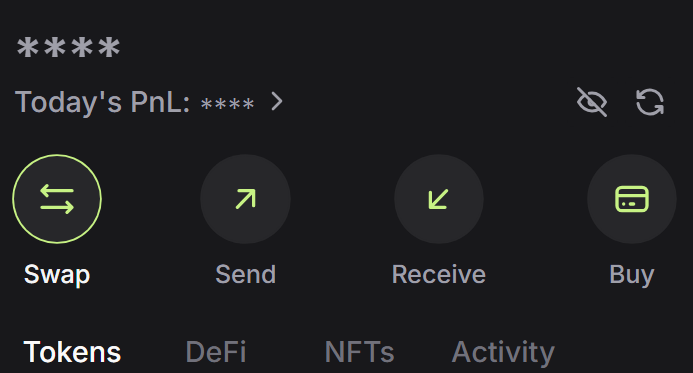
- Select the tokens you want to swap. If a token is not in the list, start typing its name and select it from the list.
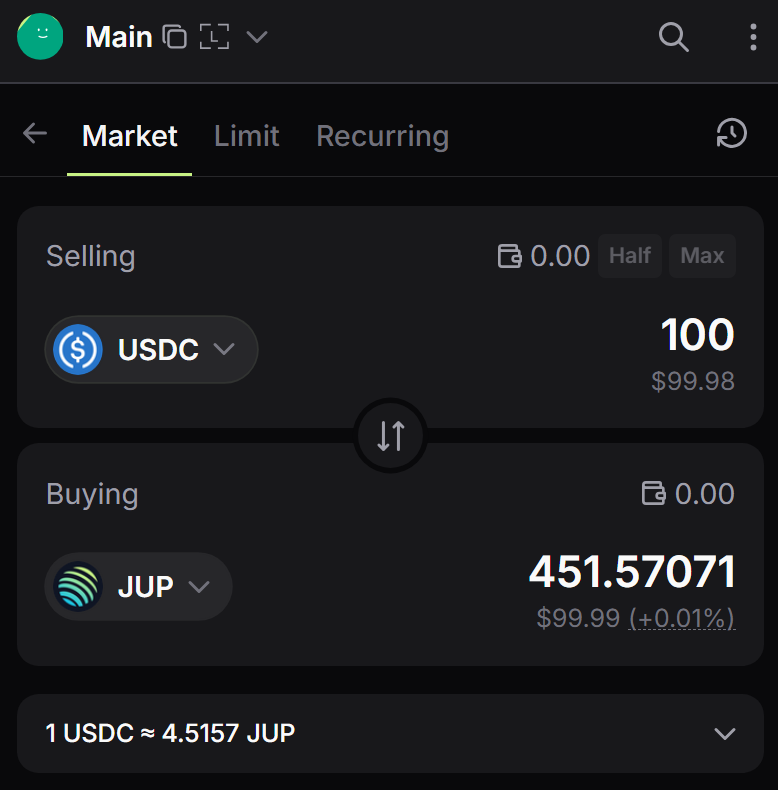
- Enter the number of tokens you wish to spend. The app will automatically show how many tokens you will receive based on the current exchange rate.
- Review the transaction in the wallet pop-up and confirm it.
Some wallets may charge higher fees within their app. In that case, visit Jupiter Swap, connect your wallet, and repeat the process. See how many tokens you would receive for the same amount, then complete the transaction at the best rate.
How tokenized stocks work on Solana
Skill level requiredBeginner
Tokenized stocks are onchain assets that represent traditional shares, often at a 1:1 ratio, and are held by a regulated custodian. However, the legal structure varies by issuer, and they often don’t carry voting rights.
The main idea behind tokenizing real-world assets is that they settle instantly and can be traded 24/7 without an intermediary. This also gives traders worldwide access to assets they might otherwise be restricted from buying because of their country of residence.
One of the best features of tokenized stocks is that they can be used on Solana’s DeFi platforms as collateral, lent, or looped to earn passive yield. This allows a user in Argentina to buy tokenized SpaceX stock, place it as collateral on Kamino or Jupiter Offerbook, take a stablecoin loan, and buy Bitcoin, all within minutes without waiting on brokers and custodians for settlement.
But before you buy tokenized stocks, identify what backs the token, who issued it, what rights ownership entails, how dividends are handled, and whether the product is legally available.
How to buy tokenized stocks on Solana
Buying tokenized stocks on Solana is the same as buying any other token.
- Visit Jupiter Swap.
- Select the asset you want to swap for tokenized stocks.
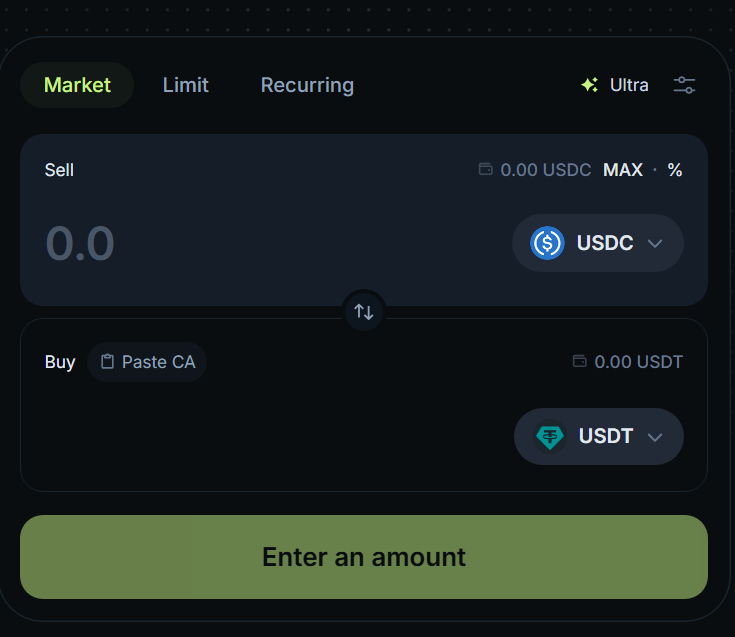
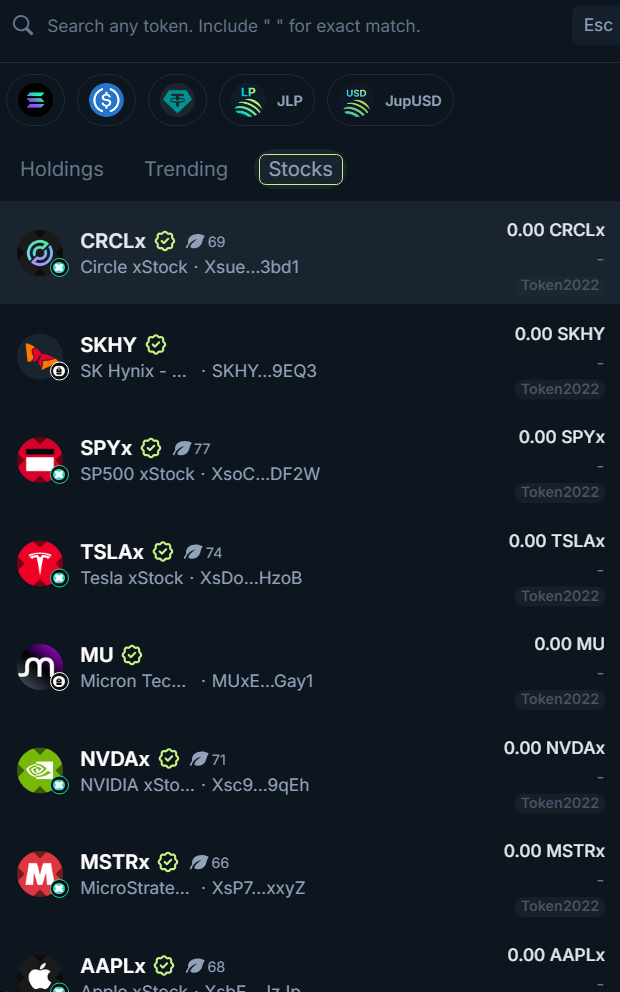
- Select the “Stocks” tab, then choose the tokenized stock you wish to buy.
- Enter the amount you want to spend, then select “Swap.”
- Review the transaction in the wallet pop-up, then confirm it.
- Your tokenized stocks are now in your wallet.
To sell your tokenized stocks, repeat the process.
Note: You will notice multiple tokenized stocks for the same company. This is because multiple issuers have tokenized these stocks. For example, if there’s an “x” in the name, it’s issued by xStocks.
How to stake SOL
Skill level requiredBeginner
Staking SOL means delegating your coins to a validator that helps operate the Solana blockchain. Validators earn SOL through inflation, priority fees from users who pay extra to have their transactions processed first, and MEV rewards when users tip validators.
The newly minted SOL is distributed among stakers, making it a solid passive-income option for long-term holders. However, to earn rewards, validators must vote correctly on blocks and remain online consistently. That’s why staking with reputable validators matters.
Here’s how to stake Solana:
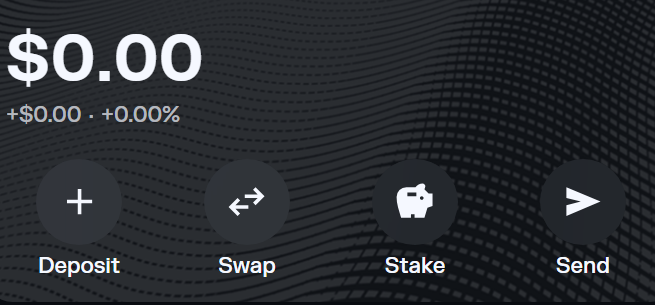
- Open your Solana wallet. Phantom, Backpack, and Solflare wallets make staking easy.
- Select SOL in your wallet, then select “Stake”.
-
Choose your validator. These three wallets operate their own reputable validators. You can also choose other validators such as Jupiter, Jito, Marinade, and Helius, as well as Kraken and Coinbase.
-
Enter the amount of SOL you want to stake, then sign the transaction.
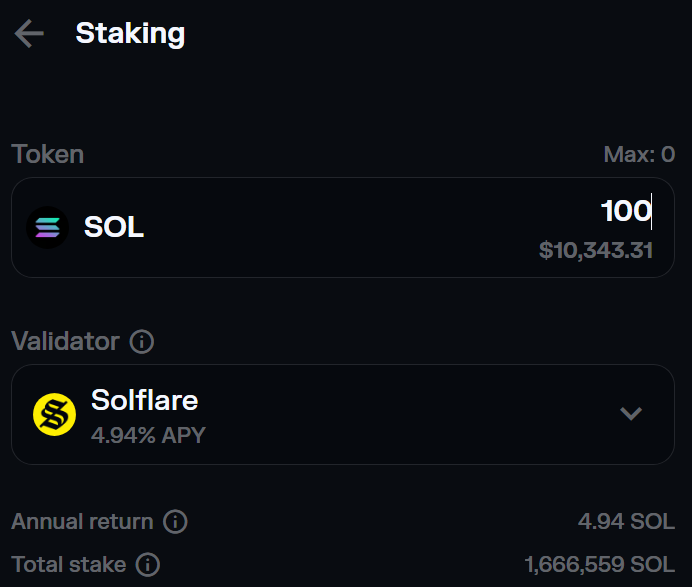
Note: If you use another wallet, such as Jupiter, you’ll need to visit the validator’s site and connect your wallet to start staking. However, Jupiter also offers a staking method that is even more seamless than native staking.
Expected annual percentage yield (APY) for staking SOL is ~5% as of September 2026.
Risks of Solana staking
The main risk of native staking is SOL’s value declining. If you buy SOL at $100 apiece and it drops to $80, a 5% APY won’t make up the difference.
Native staking has another downside: Solana’s one-epoch (about two days) unstaking period. If you need fast liquidity, holding LSTs is usually the better option.
Liquid staking is not without risk, though. The LST’s smart contract could be exploited. Multiple security firms have audited the smart contract, which is a plus, but there are no guarantees.
How Solana lending and borrowing work
Skill levelBeginner to advanced
Solana lending protocols let users supply assets to a shared market and earn interest from borrowers. Borrowers must provide assets as collateral, which pays the lending APY and protects lenders. If the collateral’s value drops below a certain threshold, the position is liquidated.
In traditional finance, your bank holds your money, institutions set rates, and geographical limits and limited hours apply. With blockchain-based financial services, those limits don’t exist; you control your assets, markets operate 24/7 globally, and supply and demand set the rates.
These financial services are known as Decentralized Finance (DeFi). You can access them via the web or mobile apps and connect your wallet to start interacting.
Suppose a user deposits $1,000 in collateral and borrows $400. The LTV is 40%. If the collateral value falls to $600 while the debt remains at $400, the LTV rises to about 66.7%. Depending on the platform’s liquidation threshold for each asset, the position may be close to liquidation.
The two largest DeFi protocols on Solana, Kamino and Jupiter, each have a total value locked (TVL) of over $1 billion as of September 2026, according to DefiLlama data.
Here’s how to lend and borrow on Jupiter:
- Visit the Jupiter Lend platform.
- Connect your wallet and approve the connection in the wallet pop-up.
- Select the asset you wish to deposit, for example, USDC.
- Approve the transaction.
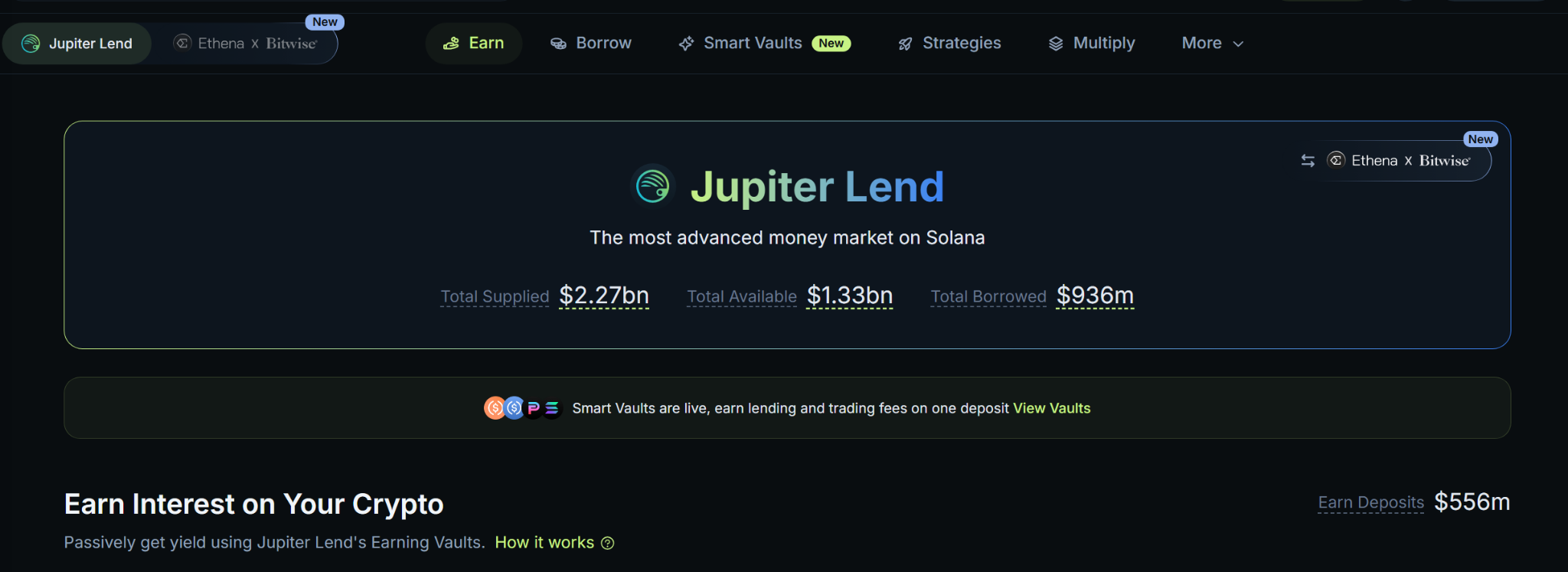
- Your USDC is now locked on Jupiter Lend’s platform and earns a variable APY based on the current market rate.
- Whenever you want, select the “Withdraw” option and enter the amount you wish to withdraw. Your funds will return to your wallet instantly.
If you’re looking to borrow assets against your tokens, here’s how to do it:
- Visit Jupiter Lend’s borrow page.
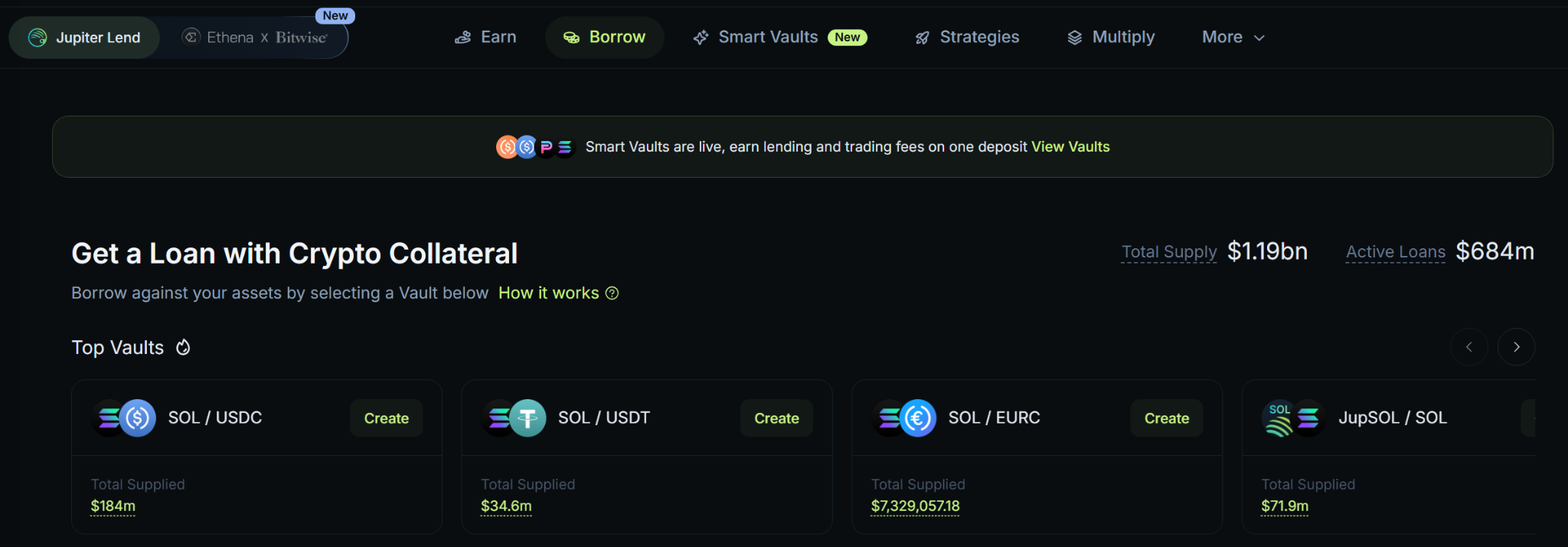
- Connect your wallet and approve the connection.
-
Scroll through the list of assets and select the one you wish to offer as collateral (for example, SOL) and the one you wish to borrow (for example, USDC).
- Deposit as much SOL as you want.
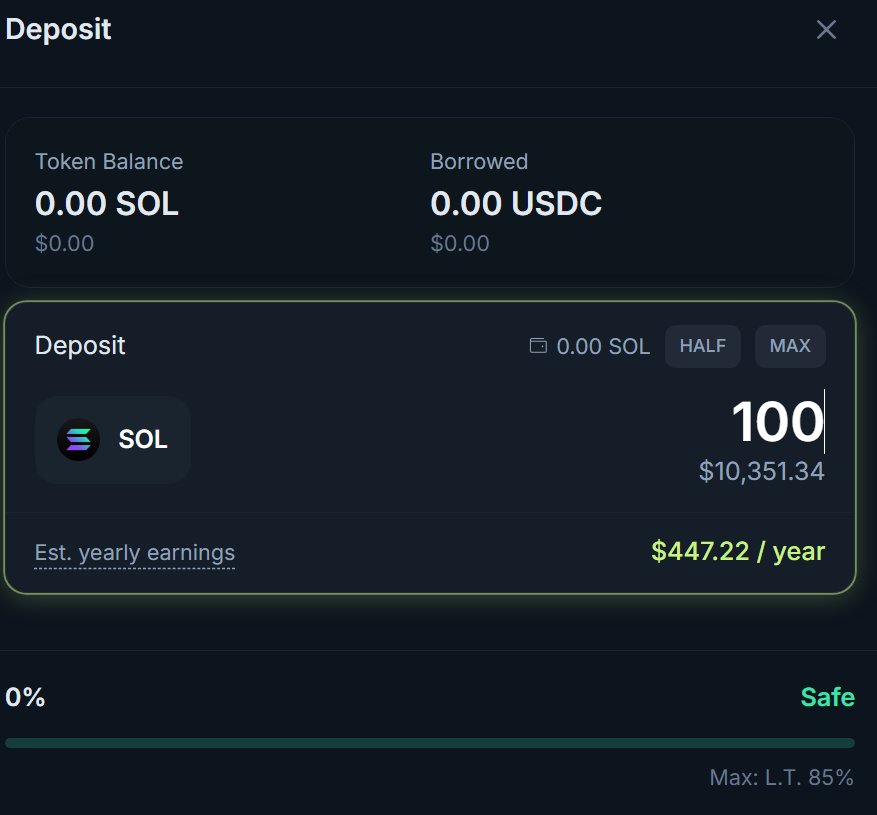
- Borrow USDC, just keep the LTV in mind so you don’t overextend.
Risks of borrowing and lending on Solana
While lending is a solid way to earn passive income on your assets, and borrowing can be a great way to get instant liquidity without selling your assets, there are still risks you should consider.
If you’re borrowing assets against your collateral, the value of that collateral could drop if the price of the asset falls, which could lead to liquidation.
Moreover, once you deposit funds into a DeFi platform, you deposit them into the protocol’s smart contract and rely on its security measures. The platform may have smart contract risks, and an exploit could steal your assets.
One such exploit happened in April 2026, when North Korean hackers stole over $285 million from Drift Exchange, a perpetuals trading platform on Solana. In the Drift Exchange case, the attackers used social engineering to access user funds. Still, the point is that something like this could happen.
How to trade perpetual futures on Solana
Skill levelAdvanced to expert
Perpetual futures, also called “perps,” are derivative contracts that allow traders to take leveraged bets on the price of an underlying asset (Bitcoin, Solana, SpaceX stock, etc.) without owning the asset. Unlike traditional futures traded at stock brokers, perpetual futures don’t have an expiration date, so a trader can hold an open position indefinitely.
Traders can take long and short positions and use leverage to maximize potential gains. Most platforms offer up to 20x leverage, while some offer up to 500x. Keep in mind that leverage is a double-edged sword. It magnifies both profits and losses.
Here’s what that means:
Opening a $1,000 Bitcoin long perps position with 20x leverage at a BTC price of $80,000 means you control $20,000 worth of Bitcoin (0.25 BTC), but you don’t own it. You’re simply speculating on Bitcoin’s future price.
If Bitcoin rises $3,000 to $83,000, your 0.25 BTC long position is now worth $1,750. If BTC falls $3,000 to $77,000, your position is worth $250. This is the power of leverage.
Let’s take the same example with a $1,000 purchase at a BTC price of $80,000, but on the spot market:
You own 0.0125 BTC. If the price reaches $83,000, your 0.0125 BTC is worth $1,037.5. If the price falls to $77,000, your investment is worth $962.50.
| $1,000 BTC position at $80,000 per coin | Spot 0.0125 BTC | Perps 0.2500 BTC (20x leverage) |
|---|---|---|
| Price up $3,000 | +$37.50 ($1,037.50 total) | +$750.00 ($1,750.00 total) |
| Price down $3,000 | -$37.50 ($962.50 total) | -$750.00 ($250.00 total) |
Note: perpetual futures incur additional fees, such as funding rates.
There are several popular perpetual futures trading platforms on Solana, including:
- Jupiter Perps
- Backpack Exchange
- Phoenix Trade
- Phantom Perps (using Hyperliquid infra)
- Axiom
Perpetual futures risks
The main risk of trading perpetual futures is leverage. Because crypto assets are volatile, a 5% move with high leverage could wipe out your entire account.
Platform exploits are another risk to watch for. If you decide to trade perps despite the risks, never leave more money on the platform than you need for your trades to limit potential losses if something happens to the platform.
How Solana prediction markets work
Skill level requiredBeginner to advanced
Predictions are simple binary outcomes where you choose YES or NO in each market. For example, “Will [event] happen?” You choose one of the likely outcomes. Each YES or NO is a contract priced between $0.01 and $0.99. The higher the price, the higher the probability of that outcome.
For example, if a YES contract on a certain event costs $0.80, the market thinks there’s an 80% chance of YES. Buying the contract at $0.80 means the user profits $0.20 per contract because, once the event resolves, winning contracts pay $1 each (in our example, $1 - $0.80 = $0.20 profit per contract).
If the event settles at NO, the contracts expire worthless, and the user loses their bet. However, users can sell their contracts before the event concludes if liquidity is available. For example, a user buys a NO contract for $0.30, but the likelihood of the event resolving with a NO has increased over time. The user can sell their contracts at the higher price, let’s say $0.50, and pocket the difference.
Note: Partial position sales aren’t supported on all platforms. If you’re looking to sell, you’ll have to sell all of your contracts for that event. In addition to the contract price, there’s a fee for buying contracts that varies by market.
Here’s what Solana prediction markets actually look like:
- Open a prediction platform’s website. I’ll use Jupiter Prediction as an example.
- Connect your wallet and approve the connection if prompted.
- Select the prediction market you want to trade, such as Bitcoin price, sports, or politics. Let’s use tennis as our example.
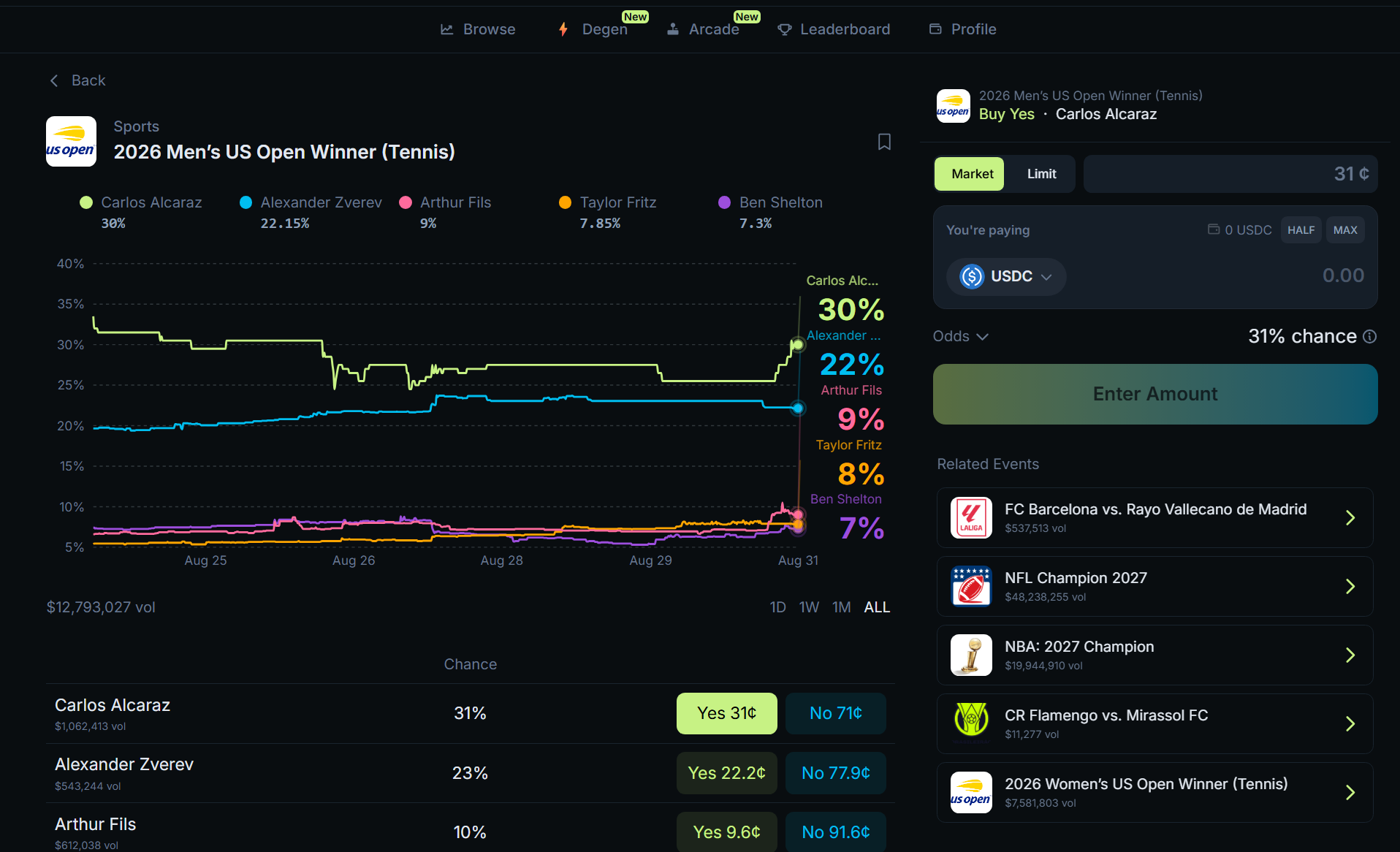
- Enter the amount of USDC you wish to bet and select Yes or No for the event; in our case, the event is the Tennis player who will win the 2026 Men’s US Open.
- If you select Yes for Carlos Alcaraz winning the event, you pay $0.31 per contract. If you select No, you pay $0.71 per contract.
- Confirm the transaction in your wallet and wait for the event to resolve.
- You can sell your position before the event resolves, as long as there’s enough liquidity.
- When the event resolves and you still hold the contracts, you either win or lose. If you win, claim your profit from your account.
Prediction markets are among the largest betting activities in the crypto space, with Polymarket’s cumulative trading volume exceeding $55 billion from January to August 2026, per DeFi Rate.
Popular prediction markets on Solana:
Prediction markets on Solana risks
If your contracts end up on the wrong side of the event settlement, they expire worthless, and you lose all the money you spent on them.
Beyond potentially losing your entire position, other risks include low liquidity, which means you may not be able to sell your contracts before the event concludes; settlement delays and source disputes; and regulatory restrictions.
Sometimes you may correctly predict an event but still lose because the market specified a different date, measurement, source, or condition. For example, in July 2026, a bet on Polymarket that Michael Saylor’s Strategy would sell Bitcoin by May 31 was disclosed in a June 1 SEC filing, which came a day after the prediction contract deadline. Polymarket later added a note that the confirmation came outside the market’s timeframe and didn’t qualify, resolving the contract to No even though, in reality, it was a Yes.
Additionally, prediction markets aren’t regulated globally, so they may not be available in all countries.
Games, NFTs, collectibles, and gacha
Since its inception, the Solana blockchain has hosted many projects, including Web3 games, NFT collections, and, recently, tokenized collectibles such as Pokémon cards via Collectors Crypt.
Web3 games on Solana
The main idea behind Web3 games is owning your assets. For example, you buy a spaceship or a virtual character in a Solana game and use them in-game. You earn experience, level up, and modify various features by equipping items and cosmetics. When you’re done playing, sell your spaceship or character on a dedicated marketplace. If the game is popular and there’s demand, you could sell your assets for more than you paid.
Most games offered various tokens that you earned by playing, which could be exchanged for SOL or USDC with ease.
However, this also became a problem for the Web3 gaming space because many games focused only on the “earn” aspect rather than the “fun” needed to keep users engaged. Moreover, the constant release of new traditional games made it harder for Web3 games to compete.
Some of the games that have been around for years and are still building include:
- Stepn. A walk-to-earn game where you buy shoes with various features and walk in real life to earn tokens and rewards. You can exchange the tokens on a platform like Jupiter.
- Aurory. A Pokemon-style game where your character walks around maps to fight monsters and find eggs, which then hatch into monsters. You level up your monsters and progress to new maps. You can sell both eggs and tokens for stablecoins.
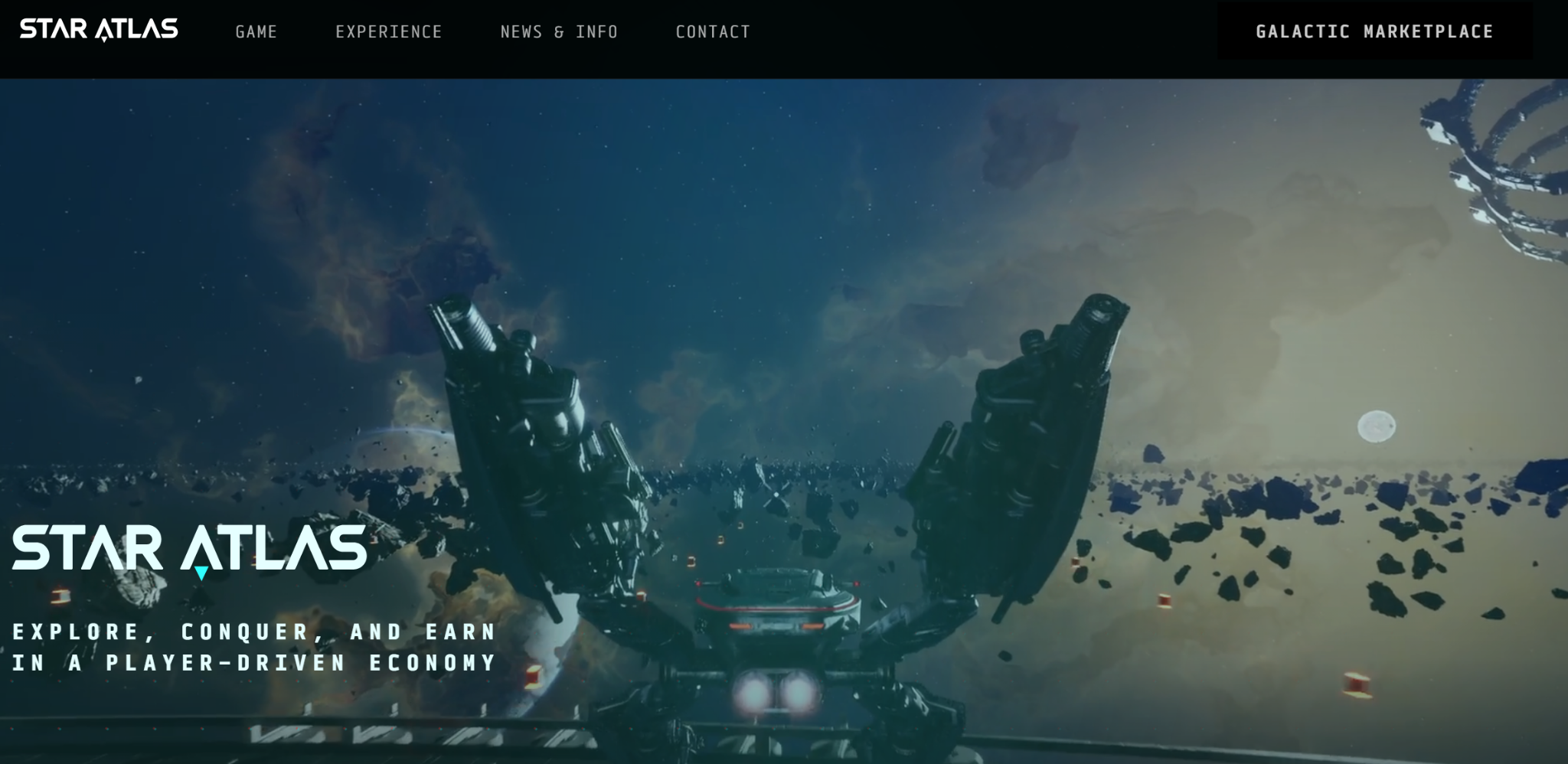
- Star Atlas. An ambitious space MMO with two game modes: a browser-based strategy game and an Unreal Engine 5 third-person shooter/space-ship-piloting game. The game is still in development and is now building its own Solana copy, called Z.ink. The move to its own blockchain aims to keep transaction fees even lower and let players with fewer assets profit through in-game activities.
- Seeker games. Solana has built its own mobile phone, called Seeker. Many Web3 games are available on the Solana dApp store, but not all of them are play-to-earn.
NFTs and collectibles on Solana
Cryptocurrencies are fungible tokens, meaning it doesn’t matter which coin you hold. For example, you can hold any Bitcoin from the total 21 million coins. They are all the same.
NFTs are the opposite, hence the name Non-Fungible Tokens. If an NFT collection has 4,000 tokens, each is unique and not interchangeable. If you own one of these NFTs, it has different traits from the others in the collection, a true 1:1.
NFTs can represent almost anything on the blockchain: digital collectibles, virtual assets for Web3 games (spaceships, land plots, characters, weapons), event tickets, or ID credentials.
Since NFTs are tokenized on the blockchain, anyone can verify which wallet holds a specific NFT.
Some cryptocurrencies, like Bitcoin, are mined. NFTs are minted. During the process, each NFT receives a unique mint address and metadata. The metadata records all information describing the NFT’s traits and properties, including the date it was minted and a link to the digital image, which is hosted outside the Solana blockchain.
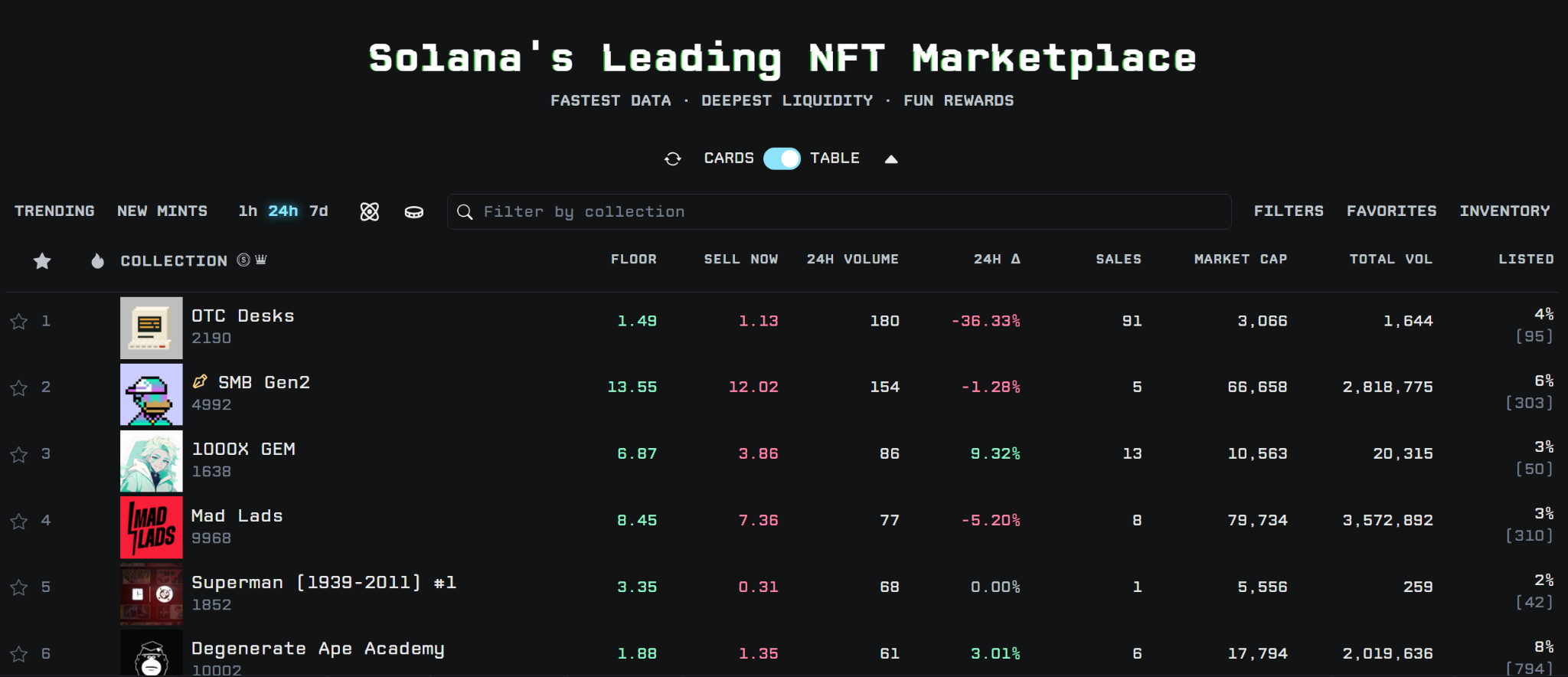
You can send or trade NFTs like any other cryptocurrency. Select “Send” in your wallet, enter the recipient address on the Solana blockchain, and the NFT will be instantly transferred. For trading NFTs, you’ll have to visit dedicated platforms like Tensor.
In 2021 and 2022, NFT art collections were popular on Solana. Users could trade them on marketplaces like Magic Eden and Tensor, or use them as collateral to borrow SOL on Sharky. Strong communities formed around these NFT collections.
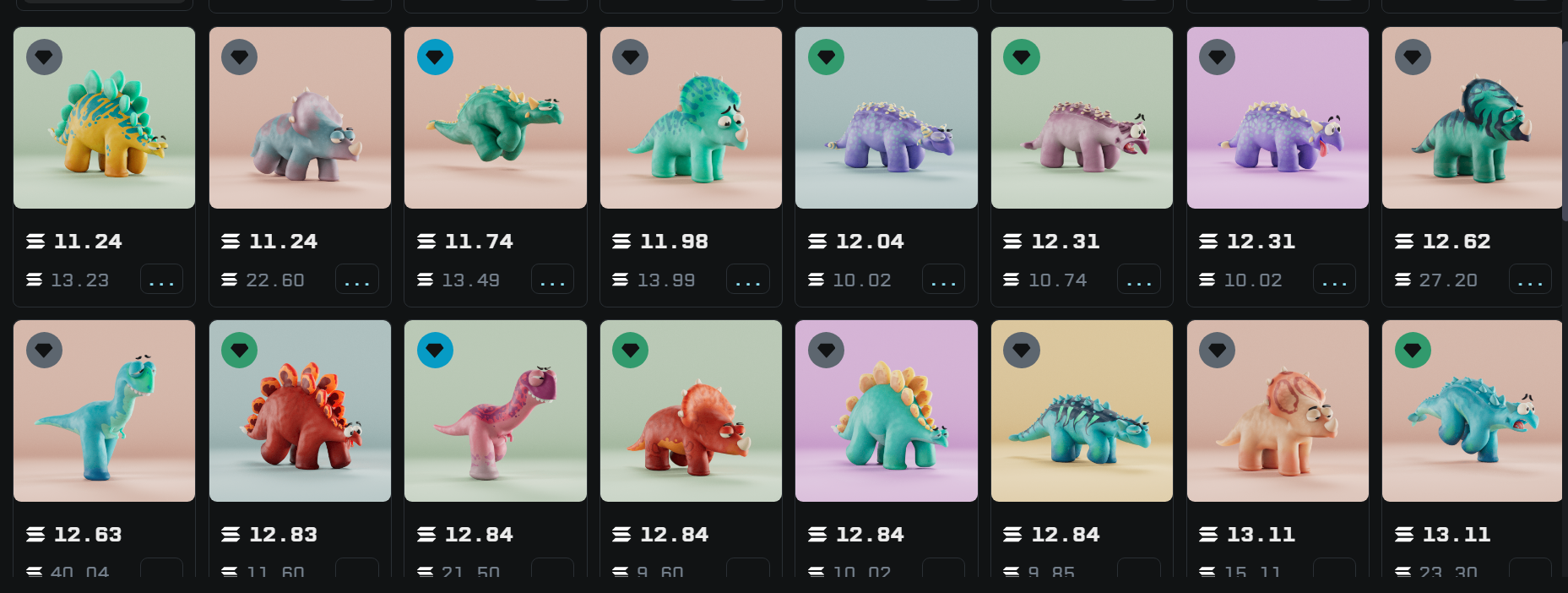
Trading NFTs on these marketplaces incurred fees, a portion of which went to the NFT creators. As a result, this became a way for teams to raise funds to build a product. Successful teams that are still building and have raised funds via their NFT collections include Backpack (Mad Ladz) and Claynosaurz.
In 2026, NFTs became ultra-popular for bringing real-world collectibles on-chain. One successful example is Collector Crypt, which buys Pokémon and other collectible cards, stores them in a vault, and tokenizes each card on the blockchain.
Collector Crypt has implemented a gacha game where users buy individual card packs from $25 to $5,000 and rip them open without knowing which card they’ll get. Users can instantly sell the card back to Collector Crypt at a discount, list it on the Collector Crypt marketplace, keep it, or withdraw it and have the physical card mailed to them.
I opened 9 packs, each worth $25, for my Collector Crypt review and immediately sold them back to Collector Crypt. In total, I spent $225 and received $203.15, for a ~9% loss. While this is a small test, it matches the result of an on-chain data run by Bitquery.
Risks of Solana games and NFTs
As with all products and services on Solana, the main risk is that assets could lose value. This is typical during bull and bear cycles, when prices can fluctuate widely over a few years. For example, during the Web3 game and NFT mania in 2021 and 2022, investors bought assets worth thousands of dollars or more.
Five years later, these assets have lost 90% of their value. Granted, some projects gave token airdrops to holders that cumulatively were worth more than the NFT value. However, most projects are down since their launch. No one knows whether this will change during the next bull run.
Another risk is smart contract exploits. A hacker can steal funds or tokens from a project, and there’s nothing anyone can do. Some NFTs reserve “freeze” authority and can lock stolen NFTs, which could prevent some issues, but the risk still exists.
How to cash out
The most common way to cash out is through a centralized exchange like Coinbase, Kraken, or Binance that supports the Solana network and allows withdrawals to your bank account.
Some exchanges may not support all Solana tokens, so you may want to convert your funds to SOL first or to a supported stablecoin like USDC.
This process varies slightly between exchanges, but in general, here’s how it goes:
- Open your centralized exchange account and navigate to your wallet.
- Select receive, then select the Solana network.
- Copy your receiving address, then open your non-custodial crypto wallet (Jupiter or Phantom, for example).
- Send the assets you want to withdraw to your exchange address.
- Sell or convert deposited SOL or USDC into fiat currency supported by the exchange.
- Look for a cash withdrawal option in your centralized exchange and withdraw the funds to your bank account or another supported method.
Potential tax implications
Cashing out can trigger a taxable event, but the rules vary by jurisdiction. In many jurisdictions, selling crypto for fiat, swapping one token for another, or spending crypto may be treated as a disposal.
Keep records of purchase costs, rewards, swaps, fees, dates, transaction signatures, and fiat values. Consult a qualified crypto tax professional in your jurisdiction for advice tailored to your circumstances.
Conclusion
The best way to learn Solana is to choose a wallet from an official source, protect your recovery phrase, fund it with a small test amount, and try a few activities to get familiar.
Once you start getting a handle on how things work, you can participate in DeFi activities, play games, or take a chance in prediction markets.
To keep your funds safe, never share your recovery phrase with anyone and don’t accept suspicious links from anonymous users on social media.
Frequently asked questions
How do beginners start using Solana?
Download a wallet such as Jupiter, Phantom, Solflare, or Backpack, and install it as a browser extension or a mobile app. Keep your recovery phrase on paper, not online. Load SOL into your wallet, and make a test transaction.
How much SOL do I need to start?
The amount of SOL you need to start on Solana depends on what you plan to do. Always keep a small amount of SOL to pay transaction fees and account rent.
Is Phantom the same as Solana?
No, Phantom is a wallet interface, and Solana is the blockchain network.
Are Solana transactions reversible?
No, confirmed blockchain transactions cannot be reversed. For that reason, double-check transaction details before you send funds.
How long does a Solana transaction take?
Solana transaction speed largely depends on network congestion at the time, but it’s generally fast and takes up to a few seconds.
Can I use a hardware wallet with Solana?
Yes, most hardware wallets support the Solana blockchain.
What should I do if I exposed my recovery phrase?
Transfer your funds to a new wallet immediately. If someone gains access to your recovery phrase, they can steal your assets.